
Desk Setup Tips for Focus and Comfort: Create Your Ideal Workspace
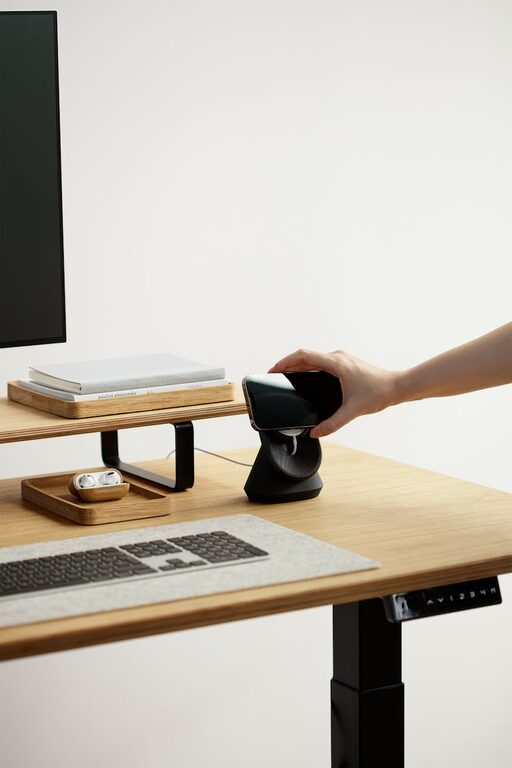
Creating a workspace that supports both focus and comfort is essential for productivity and overall well-being. Whether you work from home, study, or spend long hours at a desk, the way your workspace is designed can profoundly impact your concentration and physical health. In this post, we’ll explore practical desk setup tips that help you stay comfortable and focused throughout the day.
Why Your Desk Setup Matters
A thoughtfully arranged desk can reduce distractions, improve posture, and make work feel less like a chore. Poorly organized spaces can cause eye strain, back pain, and mental fatigue, while a well-designed desk encourages calm and efficiency.
Choose the Right Desk and Chair
Pick an Ergonomic Chair
Comfort begins with good seating. Choose a chair that supports your lower back and encourages an upright posture. Adjustable height and back support are key features to look for.
Select a Desk at the Proper Height
Your desk should allow your elbows to rest at about a 90-degree angle when typing. Adjustable desks or standing desks can be great options to vary your posture throughout the day.
Organize for Efficiency
Declutter Your Surface
Keeping your desk tidy reduces visual distractions. Use cable organizers and minimal essential tools on your desktop to maintain a clean look.
Use Storage Solutions
Drawers, shelves, and desk organizers keep supplies accessible but out of the way, preventing clutter buildup.
Optimize Lighting
Natural Light is Best
Position your desk near a window if possible, to benefit from natural light, which can improve your mood and alertness.
Add Task Lighting
A desk lamp with adjustable brightness and direction helps reduce eye strain when working in darker conditions or focusing on specific tasks.
Position Your Monitor and Devices Properly
Eye Level Monitor
Your computer screen should be at eye level to reduce neck strain. Use stands or stack books under your monitor if needed.
Keyboard and Mouse Placement
Keep your keyboard and mouse close to prevent overreaching. Your wrists should stay in a neutral position while typing and using the mouse.
Incorporate Comfort Enhancers
Use a Wrist Rest
A wrist pad can help maintain neutral wrist positions and prevent fatigue during long typing sessions.
Foot Support
If your feet don’t reach the floor comfortably, add a footrest to support proper posture.
Personalize Thoughtfully
Adding a few personal touches can make your desk feel inviting without adding clutter. Consider a small plant, a motivational quote, or artwork that inspires you.
Maintain Good Air Quality and Temperature
Good ventilation and a comfortable room temperature can keep you alert and comfortable. Consider air-purifying plants or a small fan if needed.
Take Breaks and Move
No desk setup can replace the benefits of movement. Remember to stand, stretch, or walk briefly each hour to reduce stiffness and maintain concentration.
Summary Checklist for a Focus-Friendly Desk Setup
– Ergonomic chair with adjustable height and lumbar support
– Desk at appropriate height to keep elbows at 90 degrees
– Decluttered surface with organized storage
– Natural and task lighting to reduce eye strain
– Monitor at eye level; keyboard and mouse within easy reach
– Wrist rest and footrest for added comfort
– Personal touches for motivation without overpowering space
– Good air quality and comfortable temperature
– Regular breaks to move and stretch
By paying attention to these elements, you can transform your workspace into a comfortable, well-organized zone that promotes both focus and physical wellbeing. With a few thoughtful adjustments, your desk can become a hub of productivity and comfort. Happy working!